
Using Your PLD for Learning
School-wide routines that help students learn effectively with their Personal Learning Devices.
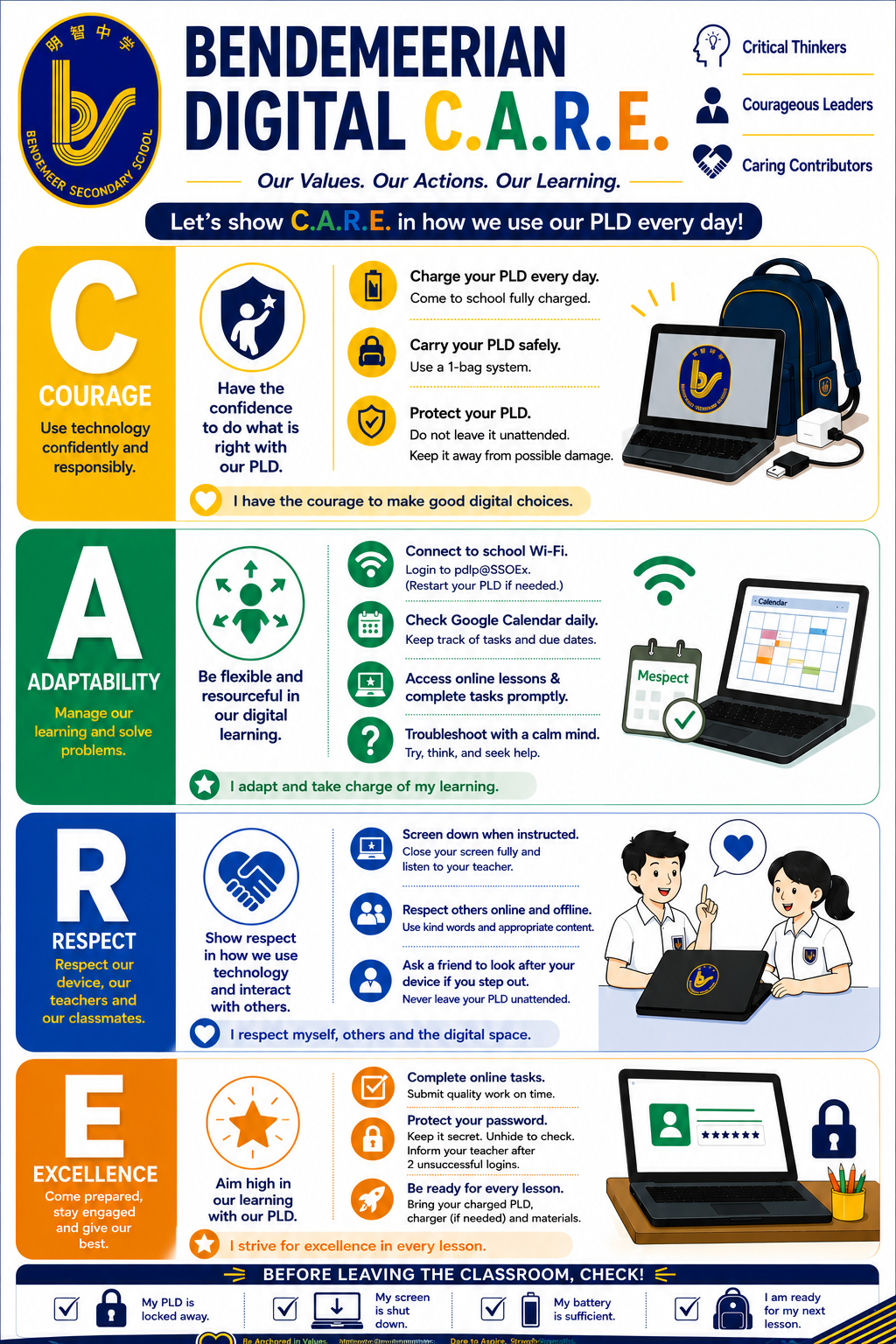
PLD routines poster
To help our students learn effectively with their Personal Learning Devices, several school-wide routines have been introduced.
A poster of these routines are attached here for students' reference.
Daily PLD checklist
Before coming to school
Fully charge your PLD.
Bring your PLD and any required charger or stylus.
Check that the device can be switched on and connected.
Ensure that important work is saved and synchronised.
Carry the PLD in its protective case or carrying bag.
Starting a lesson
Keep the PLD closed or screen-down until instructed by your teacher.
Log in using only your own account.
Open only the application, file or website required for the lesson.
Follow your teacher’s instructions on when and how to use the device.
During lessons
Use the PLD only for the assigned learning activity.
Keep unrelated tabs, applications and notifications closed.
Use headphones only when your teacher gives permission.
Communicate and collaborate respectfully.
Save work in the platform or location specified by your teacher.
Credit sources and follow copyright requirements.
Acknowledge the use of artificial intelligence when instructed.
Keep your screen visible to your teacher when required.
Caring for your PLD
Carry the device in a carrying bag or padded sleeve; the protective shell provides only basic protection.
Keep food and drinks away from the device.
Remove pens, pencils and other objects from the keyboard before closing the lid.
Do not place heavy objects on the Chromebook or press excessively on the touchscreen.
Do not jab the screen with sharp objects.
Do not exchange devices, chargers or accessories without permission.
Install system updates when prompted.
Do not attempt to remove, disable or bypass the DMA.
If charging is needed in school, seek permission from a teacher.
Saving and backing up your work
Save important work regularly. Follow your teacher’s instructions on the correct storage location for each task.
Student iCON Google Drive
Singapore Student Learning Space (SLS)
Approved subject-specific platforms
Local device storage when specifically required
Move important files from local storage to an approved cloud location so that they are not lost if the device is damaged, reset or replaced.
If your PLD is not working
Restart the device.
Check the Wi-Fi connection and reconnect if necessary.
Record or take a photograph of any error message.
Report the faulty PLD to your teacher or school ICT staff.
Choose whether to send the PLD for repair through the school or directly at the applicable service centre.
Request a school loan PLD while the device is under repair. The loan is renewable every two weeks until the repaired PLD is returned.
Submit an ICT Help Request — https://go.gov.sg/bdms-icthelp (opens in new tab)